Python Tuples
The Immutable Sequence. Ek aisi list jo ek baar ban gayi, toh kabhi change nahi hoti. Data ko secure rakhne ke liye best data structure!
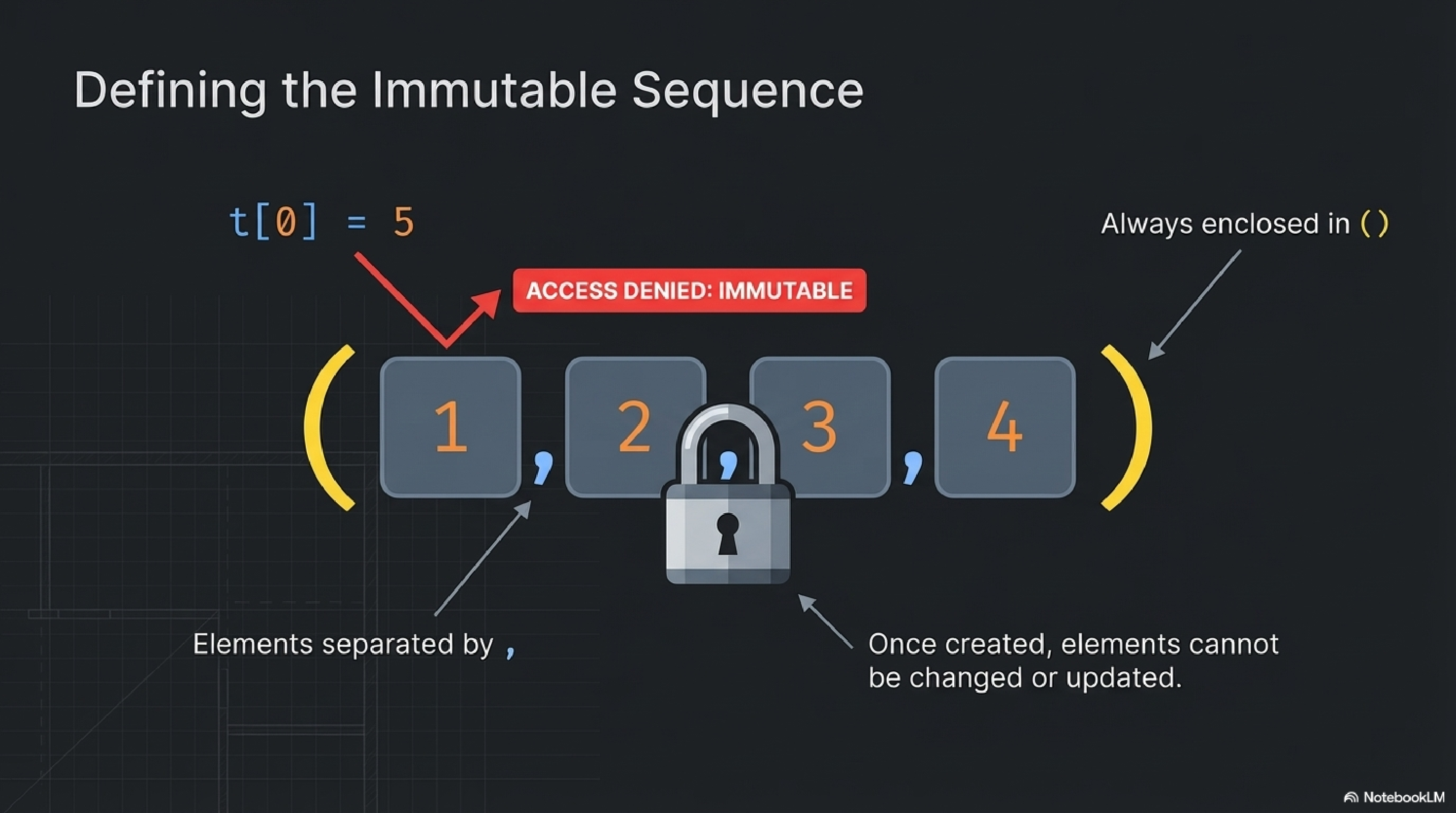
What is a Tuple?
Simple samjho: Tuple bilkul list jaisa hota hai, par ek 'Read-only' lock ke saath. Aap naye items daal sakte hain jab banate hain, lekin banane ke baad kuch delete ya modify nahi kar sakte.
📦 Ordered
Items index maintain karte hain (0, 1, 2...)
🔒 Immutable
Banane ke baad items KOI change nahi kar sakta
🎨 Mixed Types
Integers, strings, floats — kuch bhi allow hai
⚡ Faster
Memory mein lists se zyada fast aur light hote hain
The Data Matrix: What Can a Tuple Hold?
() parentheses se darshaya jaata hai aur items , comma se separate hote hain.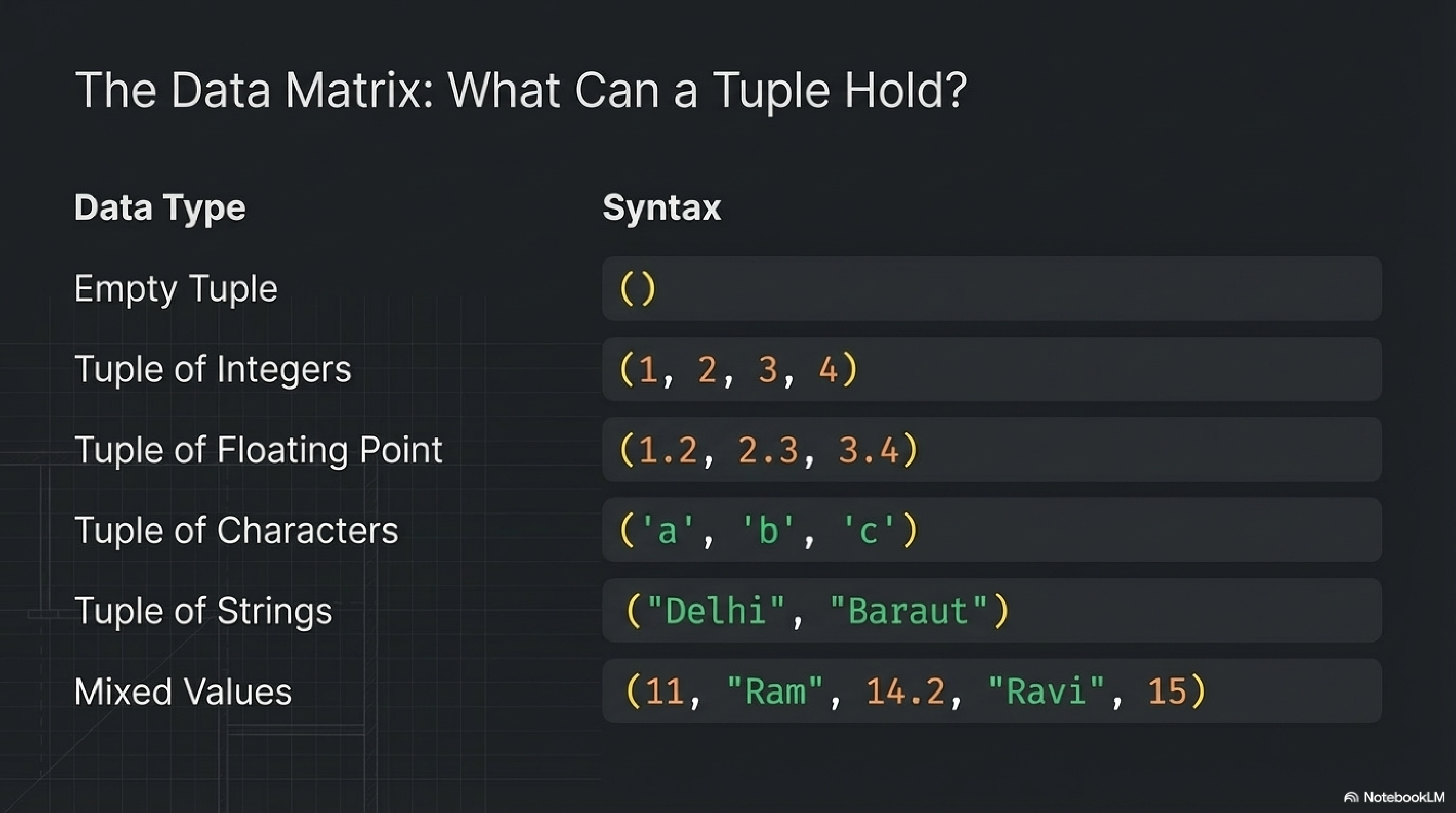
# 1. Empty Tuple
empty_tuple = ()

# 2. Tuple of Integers
int_tuple = (1, 2, 3, 4)

# 3. Tuple of Floating Point Numbers
float_tuple = (1.1, 2.2, 3.3)

# 4. Tuple of Characters
char_tuple = ('a', 'b', 'c')

# 5. Tuple of Strings
str_tuple = ("Delhi", "Baraut")

# 6. Mixed Value Tuple
mixed_tuple = (11, "Ram", 14.2, "Ravi", 15)
Creating Tuples: Three Architectures
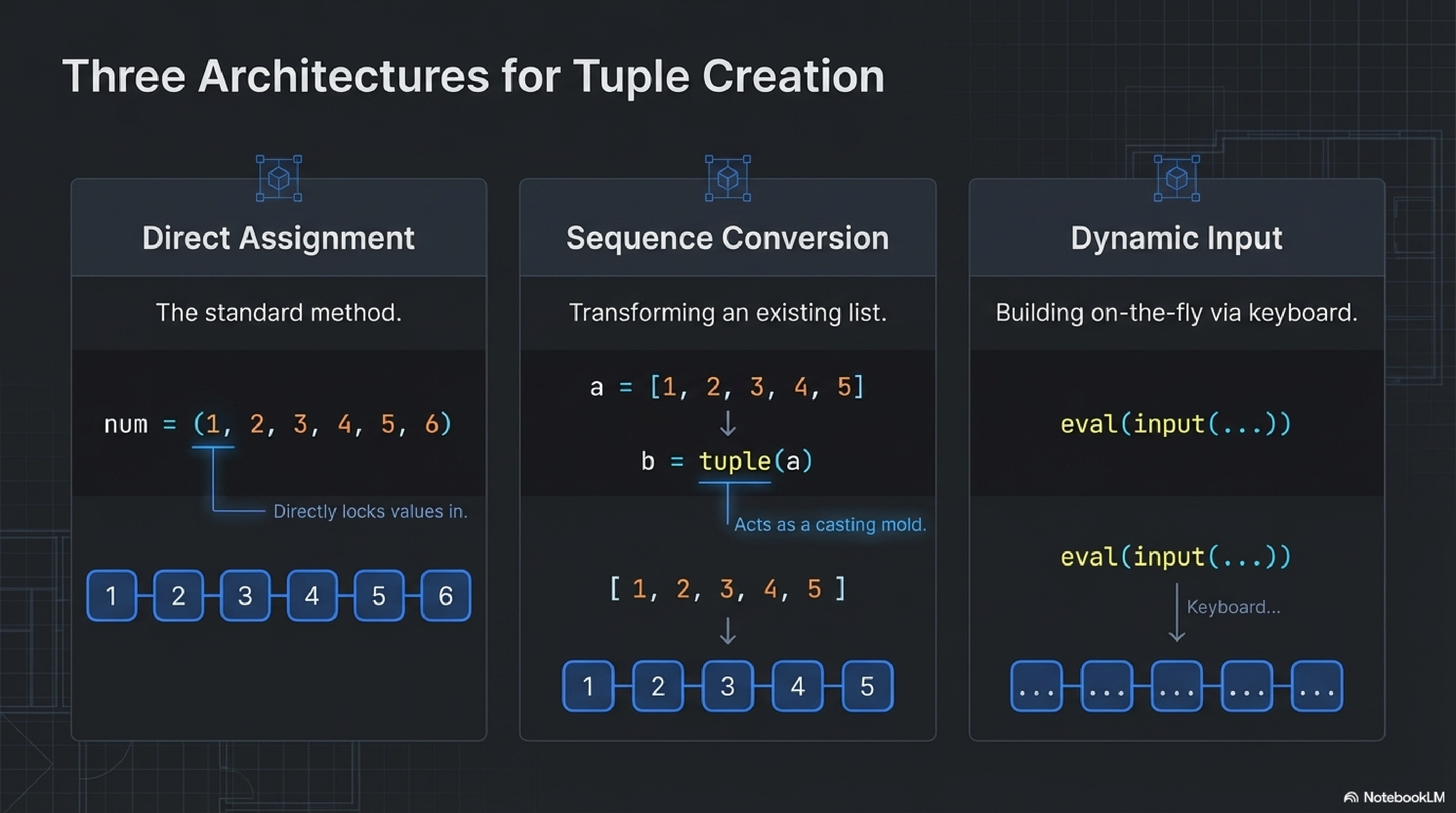
1. Method 1: Direct Assignment
# The standard method -- directly locking values in.
my_tuple = (1, 2, 3)
num = (1, 2, 3, 4, 5, 6)
2. Method 2: From Another Sequence (Conversion)
# Transforming an existing list into an immutable tuple
list_a = [1, 2, 3, 4, 5]
tuple_b = tuple(list_a)

# Acts as a casting mold.
print(tuple_b)  # (1, 2, 3, 4, 5)
3. Method 3: Dynamic Input
# Building on-the-fly via keyboard using eval()
dynamic_tuple = eval(input("Enter tuple elements: "))
print(dynamic_tuple)
Accessing The Vault: The Index Ruler
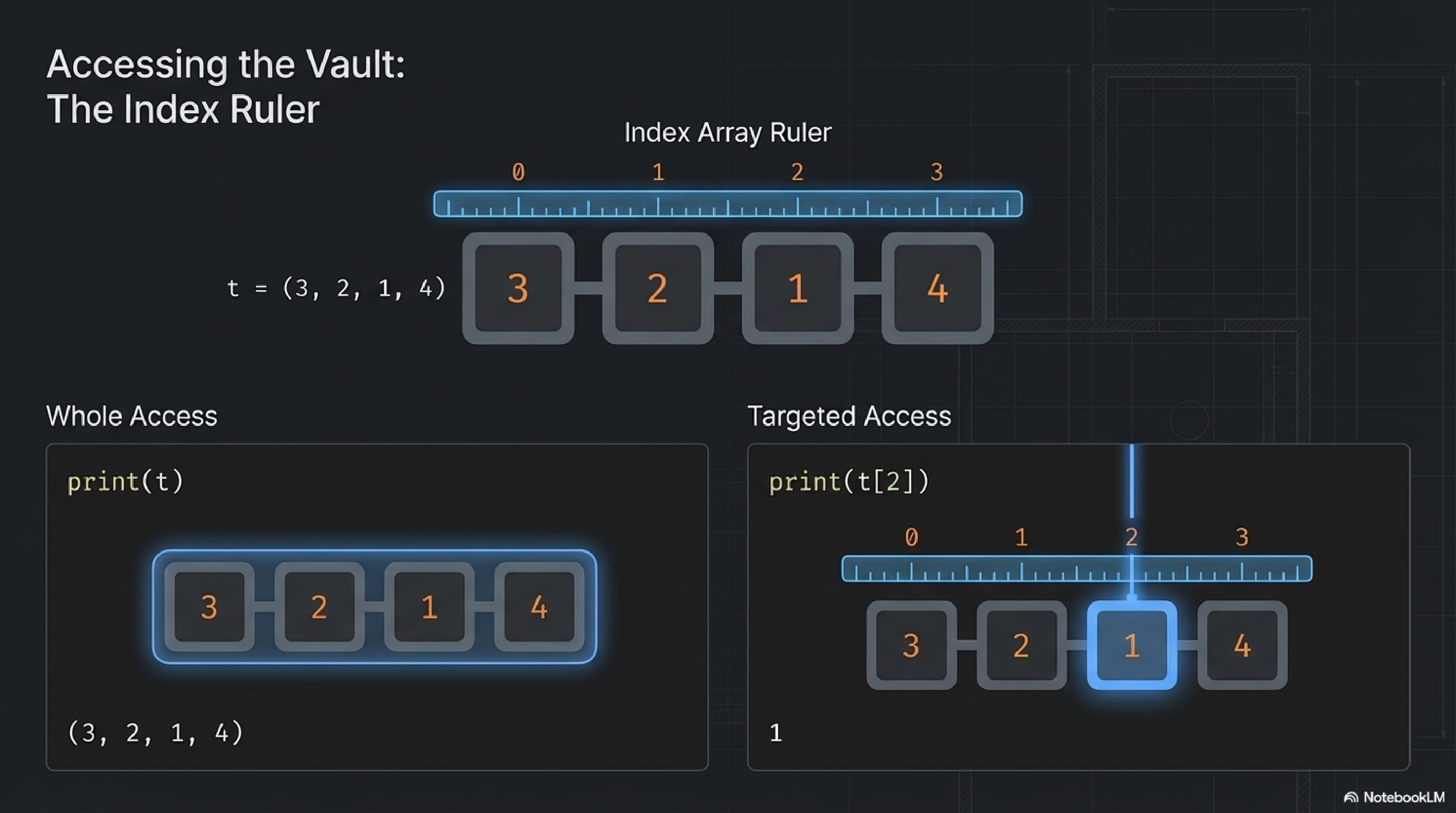
Whole Access vs Targeted Access
# Whole Access
full_tuple = (3, 2, 1, 4)
print(full_tuple)  # Prints: (3, 2, 1, 4)

# Targeted Access (Individual Element Access)
first_element = full_tuple[0]  # First element (3)
third_element = full_tuple[2]  # Third element (1)
last_element = full_tuple[-1]  # Last element (4)
Structural Operations: Combine & Replicate
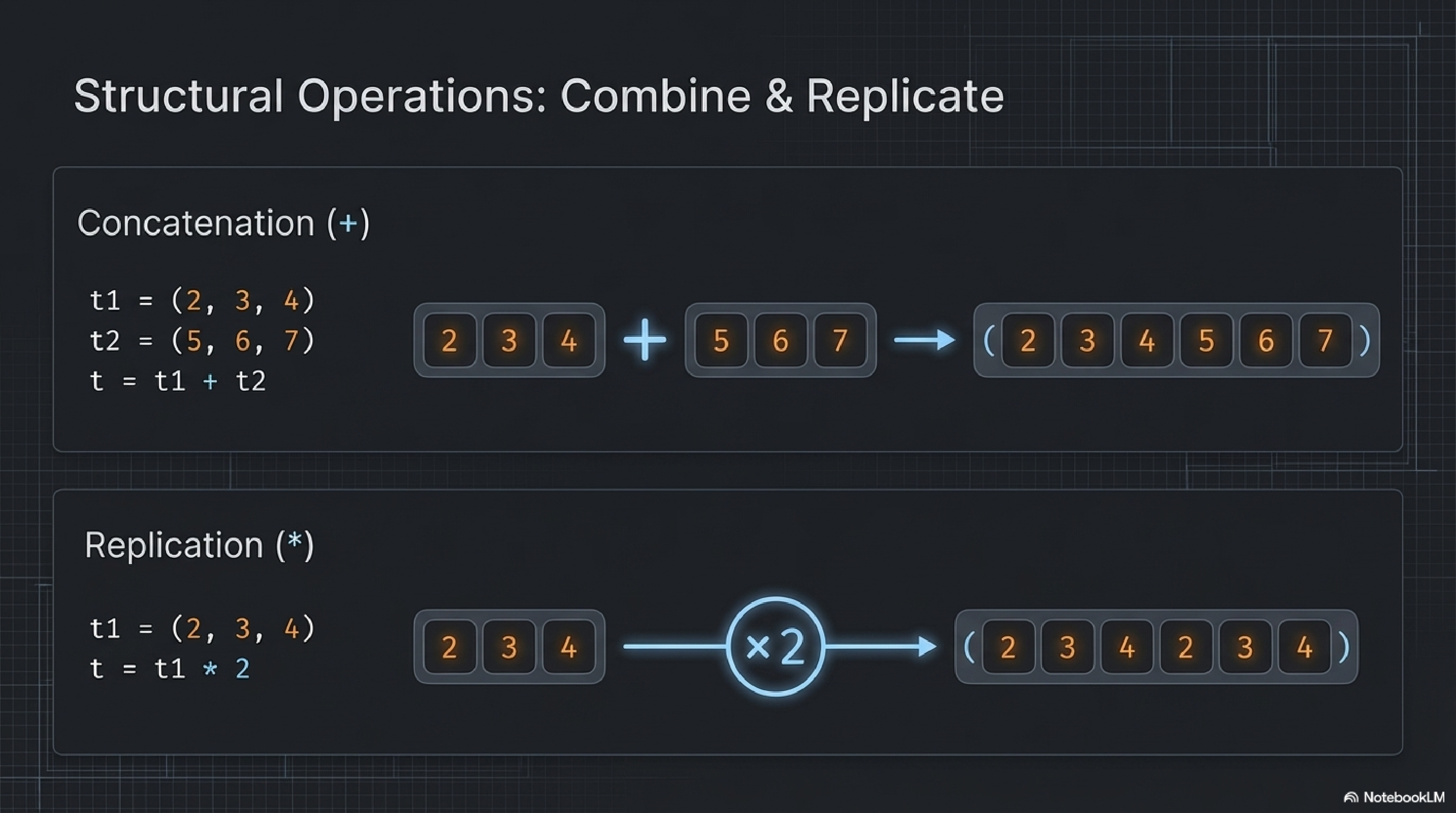
# Concatenation (+) - Combine Tuples
t1 = (1, 2, 3)
t2 = (4, 5, 6)
combined = t1 + t2
print(combined)  # (1, 2, 3, 4, 5, 6)

# Replication (*) - Duplicate Tuples
my_tuple = (1, 2) * 3
print(my_tuple)  # (1, 2, 1, 2, 1, 2)

# Slicing ([:]) - Structural manipulation
long_tuple = (1, 2, 3, 4, 5)
subset = long_tuple[1:4]  # index 1 to 3
print(subset) # (2, 3, 4)The Mechanics: Tuple Functions
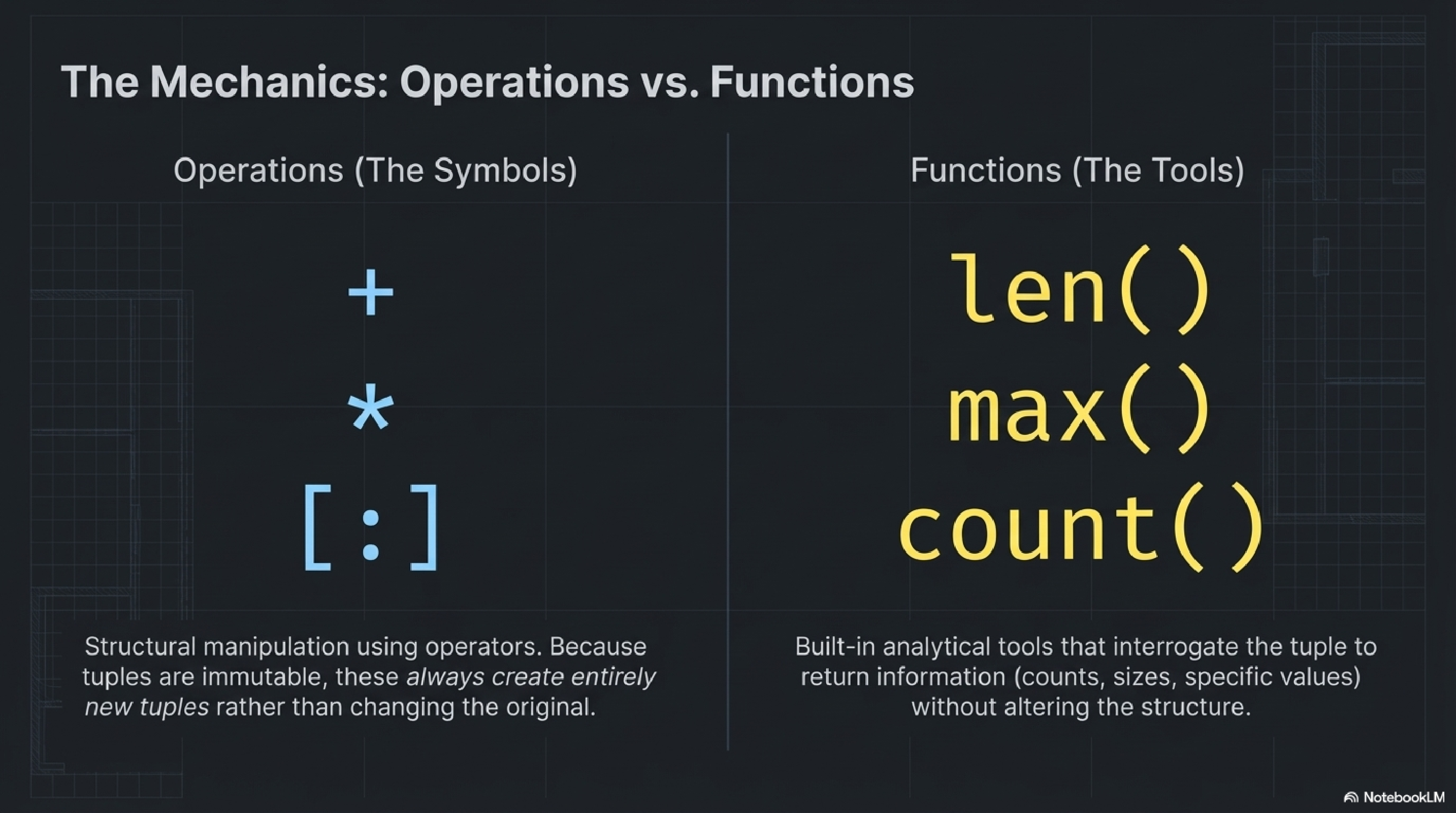
Tuple Specific Methods
count(item)— Counts occurrencesSirf yeh batata hai ki di hui value kitni baar aayi hai.
nums = (1, 2, 3, 2, 2, 4)
print(nums.count(2))  # Print hoga: 3
print(nums.count(5)) # Print hoga: 0index(item)— Finds first occurrencePehli baar `item` kis location par mila, uska index batata hai.
letters = ('A', 'B', 'C', 'A')
print(letters.index('A'))  # Print hoga: 0
print(letters.index('C'))  # Print hoga: 2
Built-in Python Functions applied to Tuples
len(tuple)— Gets totally lengthBatata hai tuple mein total kitne items hain.
print(len((10, 20, 30))) # Print: 3max(tuple)— Finds largest itemTuple mein sabse bada item ya highest value dhundta hai.
print(max((5, 12, 3)))  # Print: 12
print(max(('apple', 'zebra'))) # Print: zebramin(tuple)— Finds smallest itemTuple mein sabse chota item ya lowest value dhundta hai.
print(min((5, 12, 3)))  # Print: 3
print(min(('apple', 'zebra'))) # Print: applesum(tuple)— Calculates totalSabhi numbers ka addition karta hai.
prices = (10, 20, 30)
print(sum(prices)) # Print: 60sorted(tuple)— Sorts but returns LISTDhyan dein! Ye tuple ko list banakar sort karke deta hai (original tuple change nahi hota aur na naya tuple wapas aata hai, ek **List** aati hai).
t = (9, 1, 4)
sort_list = sorted(t)
print(sort_list) # Print: [1, 4, 9] (List)tuple(sequence)— Creates new tupleKisi bhi dusri chiz ko tuple banata hai (String, List, Sets).
new_tup = tuple("HELLO")
print(new_tup)  # ('H', 'E', 'L', 'L', 'O')
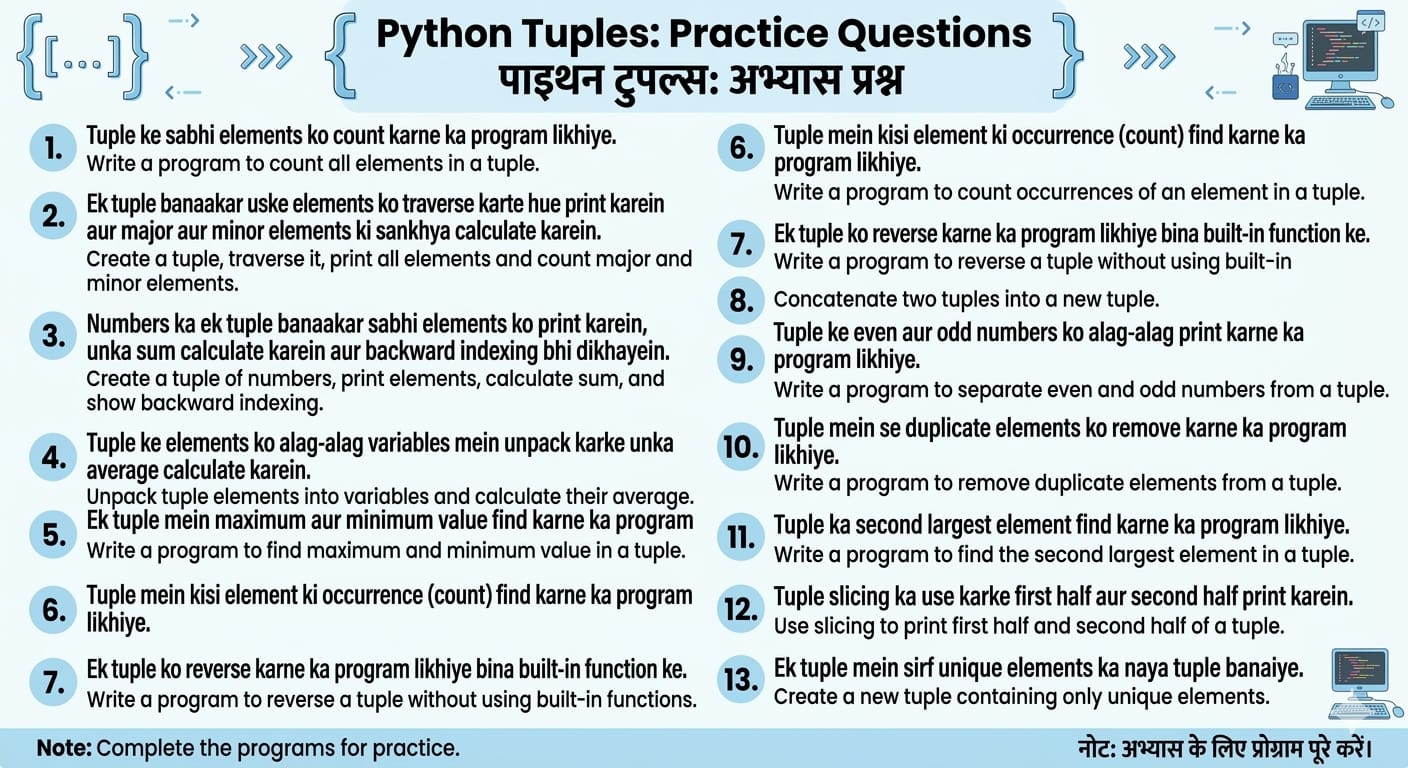
Practice Questions — Khud Karo! 💪